We received a sudden announcement on sunday that monday is holiday for Selangor state due to Selangor football team gain victory in a game.
HOLIDAY , WHO DOESN'T LIKE HOLIDAY?
Of course for sure we are happy because that means that we won't be having any classes on monday.
However , madam Nadzirah seems like she has supernatural power as she was able to predict that monday is a holiday and told us last week that this week we are not having any classes but we have to do her's given task.
So, having an extra holiday doesn't really makes much different because we still need to do the task.
It's so disappointing right?
I had no choice but to follow the instructions. but if we think it in the other way , is quite good for me that i can learn some new techniques and skills in photoshop!
this is the task that gave by madam nadzirah.
and this is my work.
This work obviously show the power of photoshop. (hahaha)
Is very different right? The original photo and the photoshoped photo.
Is time for assignment again , and here comes the assignment 1.
this is our assignment 1 and this week is the week that we are submitting our sketch for assignment 1.
Yeah , is SKETCH. Not yet the final work.
So , who i want to be? i drawn 2 sketches. The first one will be this one.
Yes , The Sniper. The face there will be putting my face .
this is actually what i refer to.
AND THEN , MADAM LING POSTED THIS.
So in order is score higher mark i decided to change my sketch TO THIS.
A combination of chameleon , black widow which able to use different kind of weapons. BE PATIENT TO WAIT AND SEE WHAT I'LL BE CREATING BASED ON THE SKETCH.
What we did on today's tutorial class is take a photo of ourselves and then upsampling it .What upsampling means is increase the quality and resolution of the image.However , as you can see above , the image of mine doesn't really have any differences between 4 different format probably is because of the low resolution camera of my phone or my photo taken in poor light condition.
Before doing this , we also did another upsampling exercise following the video tutorial that given by madam ling.
This is the video tutorial given by madam ling.
and this is the one i did following exactly accordingly to the video tutorial.
NEARLY FORGET TO ADD IN, the task given to us last week.
Today's our computer graphic lecture are in charge by our new lecturer Ms Nazirah. At the beginning of the class , she introduced herself to us and requested us to introduced ourselves.She said that usually she will remember the name of students but she said our class have too many students compared to her previous class so she said she will try to remember our name.
She taught us about the file format and requested us form a group and to do a mind map based on what she taught us.
This is the mind map we did.
Soon Ms Nazirah want us to present our mind map infront of the class.The presentation goes on until the class end.
So above the line was our second week lecture.Below the line what i am gonna write is about the tutorial which our lecturer is madam ling.What we learned this week is layering and masking.The exercise she gave to us is a tiger and captain america. I did it in class but feel like it wasn't that nice so i did not save it.I try to explore it more myself and create another piece of work based on my creativity.
and this is what i come out with. I knew that it still doesn't really look that real but i will try my best to improve my skills. However, based on the picture u did not know what i actually photoshoped right? I will put the original picture below.
Yeah , this is the total picture that i had use on doing that final masterpiece.Surprised?Probably is because the power of photoshop. Don't ever underestimate the power of photoshop.
Doing the work weren't as easy as you thought , photoshop was not able to undo much times , it will cause you unable to rescue your work when you made too much mistake.
this is one of my failed work.
Doing this work actually consume me a lot of time but the satisfactory of the final work will makes you feel worthy of doing it . ( Although mine wasn't excellent , but i still feel satisfied with my accomplishment.)
So now i will roughly explain on how i did this.
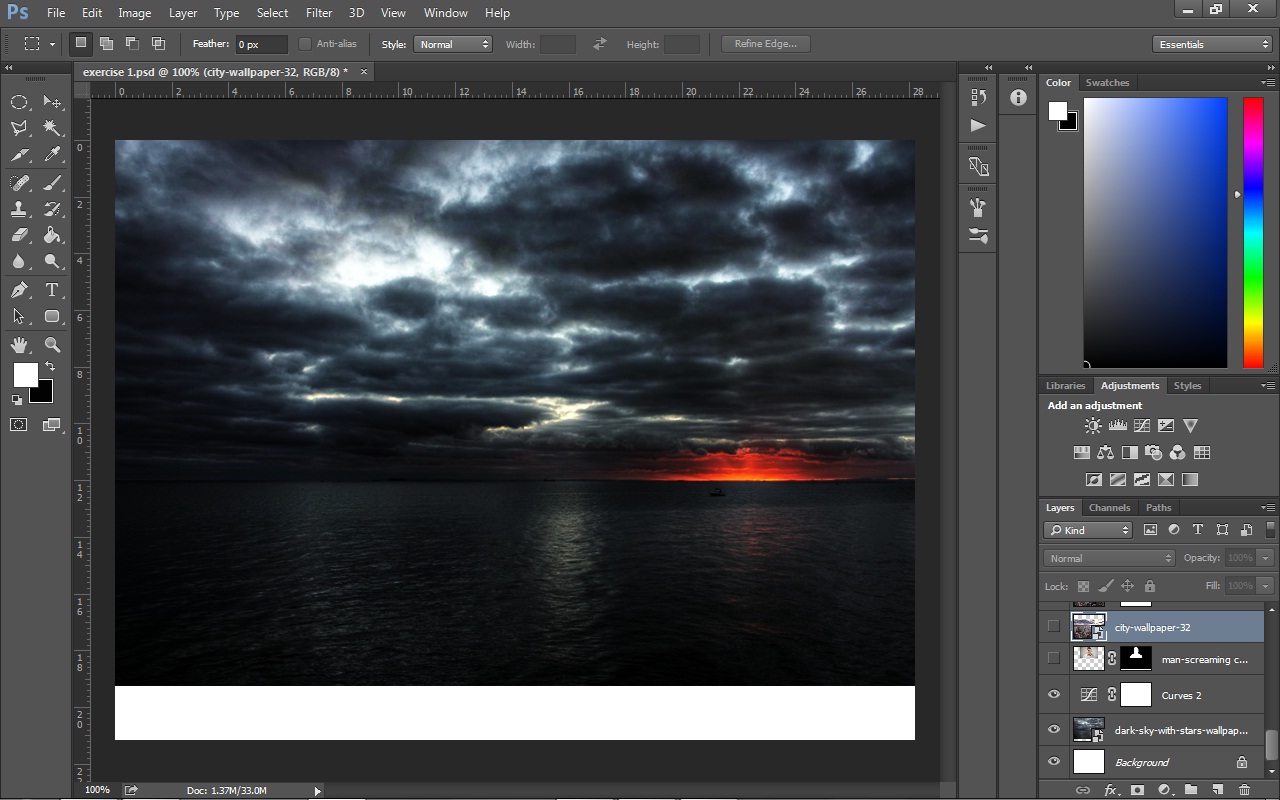
First,open photoshop new document and place the image that you want to set as background in photoshop.(Just as shown above)
I apply some adjustment which is shown on the image above to make it looks and feel more dominance and contrast in colors. ( you may apply and adjust as you like)
place the man onto the picture.(make sure the man layer is above the background)
Use quick selection tool to make selection on the man face and body and click refine edges.Refine the edges as you like and select new layer and new masking on the output to column. (Images shown above is what you will get after you turn off the visibility of the original image)
place the city image.
Do masking on the city without including the sky and click refine edges.Select smart radius and set it 1 cm and roughly paint it around the edges.you may want to try other function like feather and contrast. Select New layer with new masking on the output to column.
you will get into this look.
Use the masking technique that i mentioned earlier to place the sea wave onto the men's mouth.*apply adjustment too*
place the wave and wrap it to match the position of the image.
i knew that by just placing the sea wave couldn't get the same look as i but just place it first.
Next , you can learn how to get that effect that i did by watching this tutorial. *i learned from here*
As soon as you learned it , do apply some adjustment just on the wave to get the similar color with the sea wave on the man's mouth.
Using the same technique of masking , select other kind of sea wave and place it in the image on the left and right side to match the sea watch to make it real. You may use clone stamp tool to retouching some place which have obvious mistake.
And now you are DONE!
*you may find a lot of youtube tutorial useful when you faces some techniques and skills difficulties*
After been through a long trimester break , is time to go for class. PCG 0023 is our very first class in very opening second trimester. The class for lecture is on every Monday 2pm.It was raining heavily at the time and I WAS LATE!
Soon after i reached MMU , it was something like 2.10pm or 2.15pm. I took my umbrella and rushed to the class . Soon i get in to the faculty building which have shelter, i try to close my umbrella. Perhaps of anxiety occurs as i was late to the class , i close my umbrella with kind of a lot of strength.I saw some plastic parts fell from my umbrella and my umbrella was unable to close it up as usual.I knew i spoiled my umbrella.
At the moment , i try to hold my umbrella not to let it open it up and rush to my class.When i got to glass door the class , i saw MADAM LING! It was our previous computer graphic lecturer on trimester 1. I thought i went to the wrong class because as i remember when i registered the subject the lecturer written there are not madam ling.At the time i was really very anxious with the current situation of
I went to the another class which is just beside my class and i saw unfamiliar face that i makes me confirmed that was not my class. I checked again my timetable to double confirmed the location of my class and it was written the class that i went first time.As the time past , i started to calm down little bit and i saw few familiar face in the class.I get in to the class and then i realized it was the correct class i went it.My friends told me that Madam Ling is substituting our original lecturer for our first class as the original lecturer are busy (i guess).
Madam Ling introduced to us that this trimester we will be using Adobe Photoshop for our whole trimester.
She also brief us about the course outline and the assignment that we will be doing.
Last trimester was doing raster image to vector image but this trimester were totally opposite which we are doing vector image to raster image. Photoshop is totally in raster format whilst Illustrator which is the software we learn last week is in vector format.
Bascically what we did in our lecture class this week is we go out of our class and collect actual texture and paste it in a A4 thick paper.
Me , Ai zheah & Priscilla form a group and we started to find texture such as different types of leaves , wrinkled paper ,branches and some sand & stone.
After finished collecting , we paste it in a black mounting board .
This is how it looks like.
After finishing pasting all the texture on it , we have been told that we need to transfer the texture into software which is using Adobe Illustrator.
My texture work
The picture shown above is my texture work.
I watched the video below to learn some technique on how to create realistic leaves but i didn't applied all in my texture work because i found that some of the techniques is not suitable for my composition.
Yeah , that's right. This is my second assignment .
But this is not the final one.
This one got rejected by madam ling saying that this has been overdone and some part of the poster can be improved. In order to get a better mark for my assignment , so i change it as madam ling told me .
Actually i quite like this one . I know it's very fancy but you know what . I like fancy stuff . HeeHee
And this is the one that i had done according to madam ling guidance .
Raster background
Vector background
Both of the poster may look the same for you , but actually it's different. Saw the caption i put below the poster? Yeah , one is the poster with raster background while one is with vector background.
This may not be very obvious but can be actually seen quite obviously when I printed it out.
I struggled a lot when choosing both of this to be submit and At Last , i had chosen the poster with vector background.
AND MORE
THIS ONE!
There is color inside the font right?
Actually it's an image.
I kinda like this technique because it's very interesting and you can put in whatever image you like inside the font.
So how i did that?
Yeah , i learn from the video below.
Offset Lithography: Offset lithography is the most commonly used commercial printing process for the bulk of desktop publishing on paper. Offset lithography is used on both sheet-fed and web offset presses. The three primary differences in offset printing and desktop printing (such as inkjet and laser) are the colors of ink and the way the ink is placed on the paper as well as the type of machinery used to accomplish the task. Flexography: Frequently used for printing on plastic, foil, acetate film, brown paper, and other materials used in packaging, flexography is also known as flexographic printing or flexo. Some typical applications for flexography are paper and plastic bags, milk cartons, disposable cups, and candy bar wrappers. Flexographic printing may also be used for envelopes, labels, and newspapers. Gravure Printing: Gravure printing is commonly used for labels and packaging, competing against flexography. Photogravure is a process used mostly for fine art prints Laser / Digital Printers: Speed and lower operation costs make laser printers attractive to many businesses. Color lasers can be found at service bureaus and printers and are often used to produce high-resolution color digital proofs. Adobe PostScript capabilities found in many laser printers make them popular with graphic designers and desktop publishers who often utilize EPS images and PostScript files. For quality comparable to a high-end laser printer, the Xerox DocuTech printer offers toner-based digital printing for short runs and print-on-demand projects. There are both B&W and color DocuTech printers. Source: http://desktoppub.about.com/od/printingfinishing/p/printingmethods.htm
We work in group again to discover and discuss about type of printing, offset lithography that given by madam ling.
Each group are give 5 minute to do research about it and have to present it .
We are also been told by madam ling the printing services available in Cyberjaya or nearby Cyberjaya.
Then , we are given the task to find out what's missing in the website of this printing shop.
Typography is the art and technique of arranging type to make written language legible, readable, and appealing when displayed. The arrangement of type involves selecting typefaces, point size, line length, line-spacing (leading), letter-spacing (tracking), and adjusting the space within letters pairs (kerning).
Yeah , thats explain what is typography well. So , what we learnt at class this week is all about typography.
Our lecturer , madam ling informed us before class to bring magazines, scissor and glue.
What we did with all those things?
Is here and now we started to get to know more about typography.
During class , madam ling has let us seen through a lot of slide and video about typography.
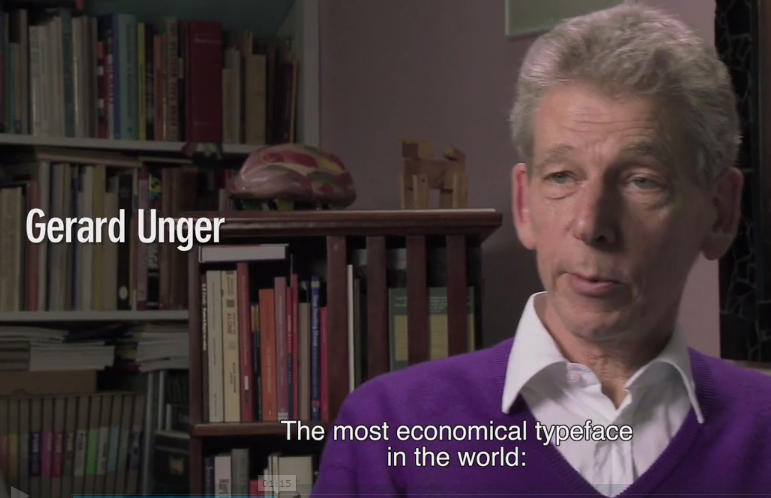
And finally , she let us watch this video.
Madam Ling requested us to find inspiration through this video . She also want us to convert the inspiration into words and add in to our SECOND Assignment!!!
Yes, it is our second Assignment.
We are required to do what we've done for the first assignment ( the mural ) and add in the inspiration word that taken from the video above and some description in order to create a creative poster using Adobe Indesign.